

Reviewed · SOUTH KOREA
South Korea Data eSIM: 0.5GB/day to 30GB-30Days(Instant Delivery)
Stay connected before Korea gets busy. This South Korea eSIM offers quick email delivery, easy QR-code setup, and mobile data on KT at 4G LTE or 5G speeds when available. I like the low starting price of $3.18 and the fact that hotspot use is supported, which helps if you carry more than one device.
I also like that the plan has no contract, no automatic renewal, and can work from Incheon to places such as Pyeongchang. The main catch is important: installation starts the validity clock, and two of four phones in one booking failed to connect, so device compatibility and setup deserve careful attention before you buy.
In This Review
- Key points
- A practical data connection for South Korea
- The first decision: daily data or fixed data
- Installation timing can make or break the value
- Coverage from Incheon to mountain areas
- What mobile data can do for your trip
- Speed, throttling, and hotspot use
- Compatibility is the biggest risk
- Support and troubleshooting on the road
- Is $3.18 good value?
- Who should choose this eSIM?
- Should you book it?
- FAQ
- How quickly will I receive the South Korea eSIM QR code?
- When does the eSIM validity period begin?
- How long is the eSIM valid?
- Is this eSIM data only?
- Can I use the eSIM as a mobile hotspot?
- What happens after I use my high-speed data?
- Which South Korean network does the eSIM use?
- Will the eSIM work on every unlocked phone?
- Can I cancel the booking or receive a refund if my phone is incompatible?
Key points
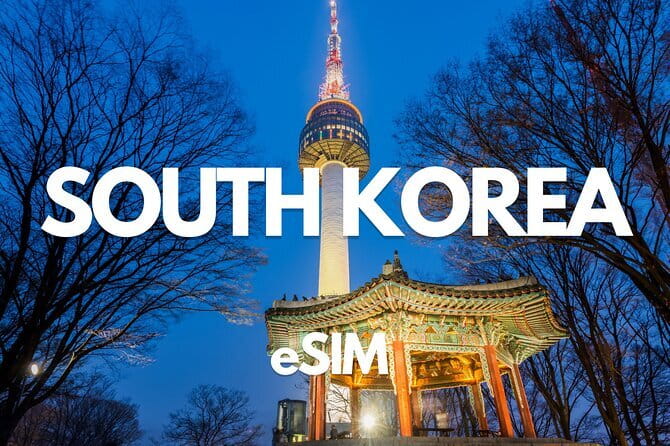
- QR code arrives within minutes: You receive the installation details by email, making this useful for a last-minute data purchase.
- KT network access in South Korea: The plan connects to a major local network at 4G LTE or 5G speeds, depending on availability.
- Several data choices: Plans range from 0.5GB per day to fixed allowances up to 30GB for 30 days.
- Hotspot is allowed: You can share the connection with another device, though your allowance or daily high-speed limit still applies.
- Data only: You get no Korean phone number, voice calling, or SMS service.
- Check your phone first: The device must support eSIM and be carrier unlocked. Most phones bought in China and Hong Kong do not support eSIM.
A practical data connection for South Korea
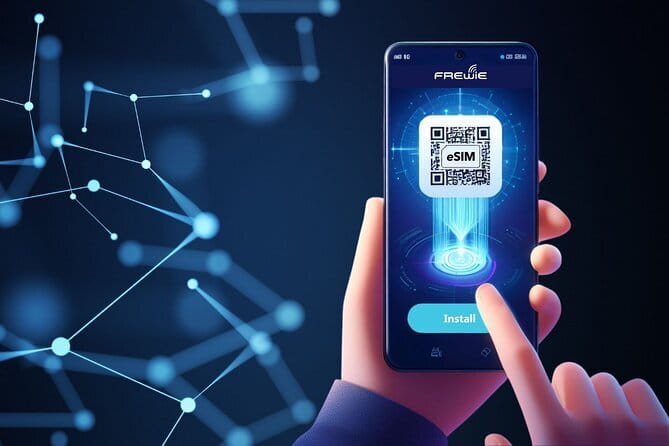
This is not a sightseeing tour with guides, transport, or scheduled stops. It is a prepaid mobile data service designed to keep your phone useful while you move around South Korea, including Daegu, Seoul, Incheon, Pyeongchang, and other covered areas.
That distinction matters. You are paying for access to the internet, not for calls, texts, airport pickup, or help finding your hotel. Once the eSIM is installed, you can use maps, translation tools, messaging apps, email, ride services, and online bookings without hunting for a physical SIM card.
The setup is built around a QR code. After purchase, the code is sent by email within minutes. You scan it in your phone’s cellular settings, follow the prompts, and select the eSIM for mobile data. The process is simple when your phone is compatible, but the service gives you little room for mistakes because the plan begins as soon as you install it.
Other days out in South Korea people book alongside this one:
- Best DMZ Tour Korea from Seoul (Red Suspension Bridge Optional)
★ 5.0 · 41,422 reviews - DMZ Tour: 3rd Tunnel, Option(Suspension Bridge, Boat) from Seoul
★ 5.0 · 21,373 reviews - DMZ tour south Korea from Seoul (NK experience hall, defector)
★ 5.0 · 20,599 reviews
The first decision: daily data or fixed data
The plan range is broad, which is useful because not every trip uses data in the same way. The options run from 0.5GB per day to 30GB for 30 days, with daily and fixed plans handled differently.
A daily plan gives you a fresh high-speed allowance each day. The daily allowance resets at 0000, based on GMT+8. Once that daily high-speed amount is used, data continues at 128 kbps.
That reduced speed is suitable for light messaging through supported apps. It is not a comfortable speed for large photo uploads, video, map loading, or regular social media use. If you plan to watch videos or upload lots of photographs, you should keep a close eye on your daily amount.
A fixed plan gives you one total high-speed allowance for the selected validity period. When that allowance is gone, unlimited data continues at 128 kbps. This can work well if your usage changes from day to day. You might use almost nothing during a museum day, then burn through data while navigating, uploading pictures, and checking transport schedules on another day.
The right choice depends on your habits:
- Choose a daily plan if you want a predictable high-speed amount each day.
- Choose a fixed plan if you prefer one shared pool of data across the validity period.
- Choose a larger allowance if you use video, frequent photo backups, or hotspot sharing.
- Choose a smaller plan if you mainly need messages, maps, translation, and occasional searches.
The word unlimited needs a little care here. After the high-speed allowance is used, service does not stop, but the speed drops to 128 kbps. That is a useful safety net, not the same as unlimited full-speed data.
Installation timing can make or break the value
You receive the QR code quickly, but you should not install it casually at home weeks before departure. The validity date begins at installation, not when you first connect to a Korean network.
The service says you should start using the eSIM within one month of purchase. That gives you some planning room, but the moment you complete installation, the clock starts. For a 30-day plan, installing too early can cut into the time you actually spend in South Korea.
You have two sensible choices. You can install it shortly before departure if you need data during the journey, or wait until you reach South Korea and have Wi-Fi available. Installing after arrival protects the validity period, but it means you need airport or hotel Wi-Fi for the setup.
I would prepare the installation steps before leaving home, then wait to scan the QR code until the right moment. Save the email and QR code somewhere you can access offline. Also keep your regular SIM active if you need its number for calls or verification messages, and make sure the eSIM is selected for mobile data after installation.
The supplied information does not promise a specific activation process beyond QR scanning, so your phone’s menu may look different from another model. The important point is to read each screen carefully and avoid deleting the eSIM after installation.
Coverage from Incheon to mountain areas

The South Korea network is listed as KT, with connections at 4G LTE or 5G speeds depending on local availability. Major airport hub coverage also lists SK Telecom for South Korea. In practical terms, you should expect access to a major Korean mobile network rather than a small independent provider.
One useful example comes from a connection that worked after landing at Incheon and continued in Pyeongchang, about three hours from Seoul, including mountain areas. That is encouraging if your plans go beyond city centers. South Korea is not only Seoul, and an eSIM that works in a mountain destination is more valuable than one that performs well only beside a subway station.
Still, no mobile service can promise identical speed everywhere. Your connection may change between 4G LTE and 5G based on the phone, local network conditions, and availability. The product promises access to a major network, not a guaranteed 5G signal in every valley, train station, or indoor space.
Daegu is given as the location for the activity, but the eSIM itself is not restricted to Daegu. The coverage description includes South Korea as a whole. You can use it as you move between cities and regions, subject to network availability and your selected data allowance.
A completely different kind of day out in South Korea:
- DMZ Insider Tour: 3rd Tunnel, NK Defector Meet & Red Bridge
★ 4.9 · 15,214 reviews - Seoul: DMZ Tour with Optional Suspension Bridge
★ 4.8 · 5,277 reviews - Signature DMZ Tour: Exclusive Defector Talk & Suspension Bridge
★ 5.0 · 4,459 reviews - Thrilling Korean DMZ 3rd Tunnel Tour from Seoul + Red Bridge Rush
★ 5.0 · 3,097 reviews
What mobile data can do for your trip

A data-only plan is well suited to the way many visitors use a phone abroad. Messaging apps can keep you in touch, and online maps help with unfamiliar streets, stations, and meeting points. Translation tools are often worth the data alone, especially when you need to read menus, signs, or short notices.
You can also use the connection for email, weather checks, web searches, online reservations, and ride or transport applications. Hotspot is supported, so you can share data with a second device such as a tablet or laptop.
That convenience comes with a limit. You cannot use this eSIM to make ordinary phone calls or send standard SMS messages because it has no phone number. App-based calls and messages may work through data, but the plan itself does not provide voice or text service.
If your bank, airline, or other account sends a verification code by SMS, you may need to keep your home SIM active. Check how your phone handles calls, texts, and mobile data before you leave. A data eSIM is often a second line, not a full replacement for your normal number.
Speed, throttling, and hotspot use
The high-speed connection is the main reason to choose this over relying only on public Wi-Fi. The advertised connection can use 4G LTE or 5G, depending on availability, giving you quick access for ordinary travel tasks.
The important restriction arrives after the high-speed amount is used. Speed falls to 128 kbps, described as suitable for messaging apps. At that rate, short text messages may still work, but image-heavy pages, video, app updates, and large files can take a long time.
Hotspot support is a helpful extra, particularly for couples, families, or anyone carrying a second device. But hotspot data comes from the same plan. Sharing the connection does not create a second allowance, so a laptop can use your high-speed data much faster than a phone used only for maps.
To stretch your allowance, download maps and entertainment while you have Wi-Fi. Turn off automatic photo backups and app updates, and use hotel or café Wi-Fi for large files. If you choose a daily plan, remember that the reset happens at 0000 GMT+8, not necessarily at the time you installed the eSIM.
Compatibility is the biggest risk
The supplier requires an eSIM-compatible phone that is not carrier locked. A phone can be paid off and still have a carrier restriction, so check the device settings rather than assuming it will work.
Most phones bought in China and Hong Kong do not support eSIM, according to the supplied guidance. That warning is especially important for group bookings. In one case, two phones worked while two others could not connect, even though the phones were described as having no contract. That shows why checking the exact model matters.
Before paying, confirm three things:
- Your phone supports eSIM.
- Your phone is carrier unlocked.
- Your phone can use an additional data line alongside your normal SIM, if you need both.
You should check the manufacturer’s specifications or contact your service provider. Compatibility problems are not covered by a refund, and itinerary changes also do not qualify for cancellation.
The experience receives an overall rating of 4 from four submitted ratings, which points to a useful but not flawless service. The strongest praise focuses on quick delivery, easy installation, affordable pricing, and reliable connection. The weaker experiences center on phones that would not connect, delayed activation, and support that did not arrive quickly enough.
Support and troubleshooting on the road

The support instruction is simple: reply to the email from the Viator supplier for help or questions. Keep that email available, especially if you are travelling with several phones.
If the eSIM installs but data does not work, check that the eSIM is switched on and selected for mobile data. Confirm that data roaming is enabled for the eSIM if the installation instructions require it, and make sure your regular SIM is not being selected for data by mistake. Since phone menus vary, use the supplier’s instructions for your particular device.
The available information includes an instance where troubleshooting steps were sent to the Viator team, but communication did not reach the customer in time. I would not wait until the connection fails on a busy travel day. Install carefully, test the service while you still have Wi-Fi, and keep your booking email and support contact easy to find.
Is $3.18 good value?
At a starting price of $3.18 per person, this is inexpensive compared with buying a physical SIM at an airport. One person specifically found airport SIM pricing surprisingly high and appreciated receiving the eSIM quickly by email.
The real value depends on the plan you select. The headline price may apply to a smaller data option, while heavier users will pay more for a larger daily or fixed allowance. Even so, prepaid access can save time and remove the need to visit a shop, handle a plastic SIM, or risk losing your home SIM card.
There is also no auto-renewal and no contract. You pay once for the selected package, then the service ends according to its validity and data terms. That is a good fit for a fixed holiday, especially if you do not want a surprise charge after returning home.
The no-refund rule changes the calculation. A cheap eSIM is not good value if your phone cannot use it, so confirm compatibility first. You should also make sure your dates are settled before buying because itinerary changes are not refundable.
Who should choose this eSIM?
I would consider this plan if you want quick mobile data, already use app-based messaging, and have a confirmed unlocked phone with eSIM support. It suits independent trips where maps, translation, online searches, and transport information matter every day.
It is also useful for people arriving through Incheon and continuing to destinations such as Daegu or Pyeongchang. The mountain-area connection example suggests that the service can be useful outside Seoul, though local conditions will still affect performance.
You may want another solution if you need a Korean phone number, standard calls, or SMS. It may also be a poor fit if you are unsure about your phone model, bought your device in China or Hong Kong, or need guaranteed customer support at a particular hour.
Families and groups should check every phone separately. One working device does not prove that all devices will accept the same eSIM. Hotspot can help, but relying on one phone for everyone also means one technical problem can affect the whole group.
Should you book it?
I would book this South Korea eSIM if your phone passes the compatibility checks and you want a low-cost data connection without a contract. The quick QR delivery, support for hotspot use, major-network access, and reported connection from Incheon to Pyeongchang give it useful reach for a Korea trip.
I would not buy it on price alone. Confirm the exact phone model, check that it is unlocked, choose the data format that matches your habits, and plan the installation date carefully. If you need voice and SMS, keep your regular SIM active or choose a full mobile plan instead.
FAQ
How quickly will I receive the South Korea eSIM QR code?
The QR code is sent by email within minutes of purchase.
When does the eSIM validity period begin?
The plan starts when you install the eSIM, not when you first use mobile data.
How long is the eSIM valid?
The available plans include options lasting up to 30 days. The exact duration depends on the plan you select.
Is this eSIM data only?
Yes. It provides mobile data only and does not include a phone number, voice calls, or standard SMS messages.
Can I use the eSIM as a mobile hotspot?
Yes. Mobile hotspot use is supported.
What happens after I use my high-speed data?
For daily plans, the allowance resets at 0000 GMT+8. After the high-speed allowance is used, data continues at 128 kbps. Fixed plans also continue at 128 kbps after the selected high-speed allowance is finished.
Which South Korean network does the eSIM use?
South Korea is listed with KT network access. SK Telecom is also listed for major airport hub coverage in South Korea.
Will the eSIM work on every unlocked phone?
No. Your phone must support eSIM and must not be carrier locked. Most devices bought in China and Hong Kong do not support eSIM.
Can I cancel the booking or receive a refund if my phone is incompatible?
No. The package is non-refundable, and refunds are not provided for compatibility problems or changes to your itinerary.
Just added around South Korea
- East of jeju tour for Seogwipo Gangjeong Cruise Customers★ 4.5 · 3 reviews
- Seoraksan National Park & Nami Island★ 4.5 · 3 reviews
- Seoul: Seohaerang Cable Car, Gwangmyeong Cave, etc (EG Tour)★ 5.0 · 3 reviews
- Strawberry Picking, Winter Sled with Eobi Ice Valley from Seoul★ 4.5 · 3 reviews
- Seoul Full Day small group Tour★ 5.0 · 3 reviews
- Seoul: Seorak Mountain, East DMZ, and Sokcho Tour★ 5.0 · 3 reviews
- Majang Meat Market Experience: Private Tour with Han-woo Beef BBQ★ 5.0 · 3 reviews
- Seoul Korean BBQ Dinner Experience with Secret Food Tours★ 5.0 · 3 reviews