Reviewed · SEOUL TOURS
South Korea eSIM (3-30 days. Up to 45GB)
Connection is part of your arrival plan. This South Korea eSIM sends a QR code by email, so you can set it up before leaving home instead of searching for a SIM counter at the airport. I like the choice of plans from 3 to 30 days, and I like the 4G or 5G access with unlimited 3G data after the high-speed allowance is used. The main catch is that your phone must support eSIM, and you may need to turn on data roaming and restart the phone before it works properly.
At $5 per person, this is an inexpensive way to keep maps, messages, and trip research within reach. There is no pickup, meetup, or plastic card to lose. I would still check the exact data allowance, confirm your device is compatible, and ask about the odd reference to coverage in Canadian provinces, which does not match a South Korea data product.
In This Review
- Key points to know before buying
- A digital arrival tool for Seoul
- Choosing between 3 and 30 days in South Korea
- Installing the QR code before you fly
- What using the connection feels like in Seoul
- The 3G fallback after your fast data runs out
- The $5 price and what you receive
- What is not included in this digital product
- Who will get the most from this eSIM
- Cancellation and support in plain language
- FAQ
- How long can I use the South Korea eSIM?
- How much high-speed data is available?
- What happens after the high-speed data is used?
- Does the eSIM arrive as a physical card?
- Which phones are listed as compatible?
- Do I need to turn on data roaming?
- Should you book this South Korea eSIM?
Key points to know before buying
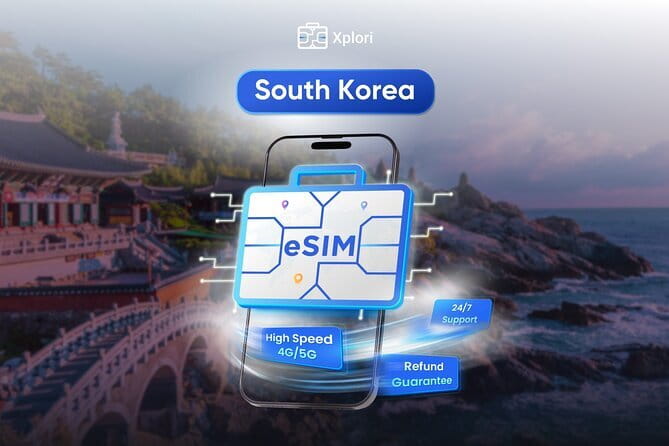
- Plans from 3 to 30 days: Choose a period that matches your trip instead of paying for a long contract.
- Up to 45GB of high-speed data: The exact allowance depends on the option you select, so check the plan details before payment.
- Email delivery with a QR code: You receive the digital SIM remotely and can scan it to install the profile.
- 4G and 5G where available: Your connection may use the faster network when supported, with 3G data continuing after the high-speed cap.
- A small arrival task matters: Turn on data roaming when you land, and restart your phone if the connection does not activate fully.
- No airport pickup or physical SIM: This is a digital product, which saves time but puts setup responsibility in your hands.
A digital arrival tool for Seoul
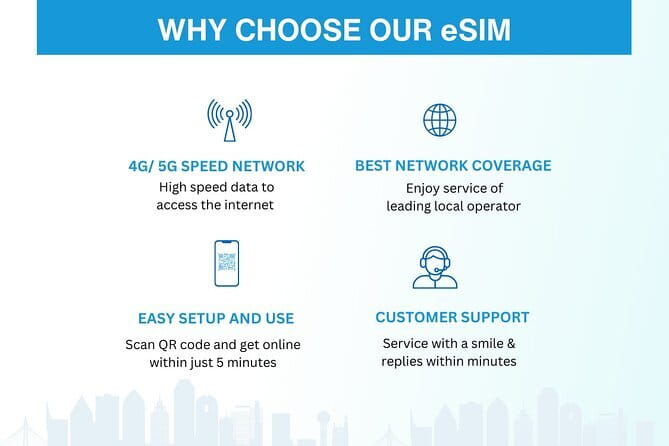
This is not a sightseeing tour with a guide, vehicle, or scheduled route. It is a mobile data service designed to help you get through South Korea with an internet connection from the start of your trip.
That distinction matters. You do not meet anyone in Seoul, collect a package, or wait for a local shop to activate a card. You receive the eSIM by email, scan the QR code, install the profile, and use it for the number of days you selected.
I see the main value in the timing. If you set up the eSIM before departure, you can have a working data plan ready for airport directions, messages, translation tools, and map searches. You are not forced to find a counter after a long flight, explain your needs across a language barrier, or compare unfamiliar SIM plans while carrying luggage.
The setup is not entirely automatic, though. Your phone must support eSIM, and you must follow the activation steps correctly. A small mistake in choosing the data line or turning on roaming can leave you without service until you correct it.
A few more trips of this kind worth comparing:
- Best DMZ Tour Korea from Seoul (Red Suspension Bridge Optional)
★ 5.0 · 41,422 reviews - DMZ Tour: 3rd Tunnel, Option(Suspension Bridge, Boat) from Seoul
★ 5.0 · 21,373 reviews - DMZ tour south Korea from Seoul (NK experience hall, defector)
★ 5.0 · 20,599 reviews
Choosing between 3 and 30 days in South Korea
The plan range is useful because South Korea trips vary widely. A short Seoul stopover may need only the 3-day option, while a longer holiday can use a 15-day, 20-day, or 30-day plan if those choices are offered at booking.
The product information also refers to packages reaching up to 45GB. That is a generous amount for ordinary travel use. Maps, restaurant searches, messaging, email, transit planning, and occasional photo sharing generally use far less data than video streaming or frequent video calls.
You should look closely at the specific plan you select. The high-speed amount is capped at the stated allowance, and after that point the service changes to unlimited 3G data. The connection does not simply disappear, which is useful for basic navigation and messages, but 3G may feel slow for large files, video, or image-heavy pages.
For a quick trip, a smaller plan can keep the price low. For a longer stay, more data gives you room for video calls, uploads, and streaming. I would not choose the largest package merely because it sounds impressive. Pick it if you expect heavy use or want to avoid watching every megabyte.
Installing the QR code before you fly
The eSIM arrives by email after booking. You should have access to that message when you are ready to install the profile, and it is sensible to keep the email available offline or in your inbox before your flight.
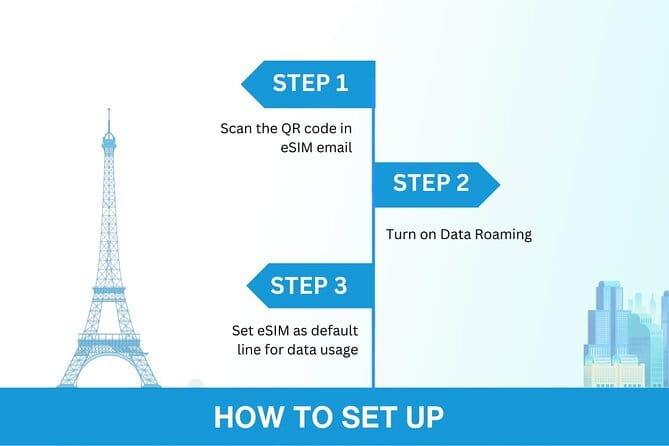
The exact menu differs by phone, but the general process is to open the mobile network settings, add an eSIM, scan the supplied QR code, and follow the prompts. Do this while connected to Wi-Fi if possible.
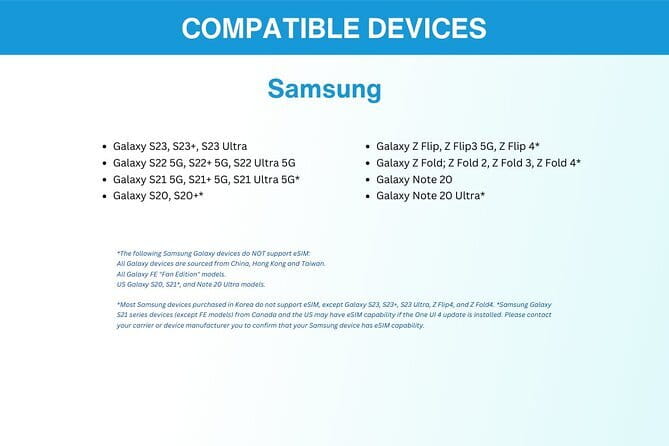
Compatible examples include:
- iPhone XS and later
- Google Pixel 3 and later
- Samsung S20, S21, and Fold models
Those examples are not a complete device list. If you are unsure, contact the provider before buying. You should also check that your phone is not restricted to a single carrier, since a carrier-locked phone may not accept another mobile profile.
After installation, your phone may show your normal SIM and the new travel eSIM as separate lines. You need to select the eSIM for mobile data. Keep your regular line available for calls or messages only if you understand how your carrier charges for roaming.
One useful warning comes from the activation experience: after landing, turn on data roaming for the eSIM. If the phone still does not connect, restart it. That simple reboot may be needed before the profile fully registers on the local network.
What using the connection feels like in Seoul

Once active, the eSIM is meant to provide mobile data through local 4G or 5G service where available. That is enough for the tasks that make a city trip easier: checking directions, translating signs, looking up opening times, messaging home, and finding your next address.
The service also reports automatic connection to the best local network, with coverage used from Seoul to Jeju Island. That is helpful if your trip includes more than the capital. Still, you should read where available literally. A 5G icon is not guaranteed in every place, and speed can vary with signal strength, network traffic, and your phone.
I like the reported reliability for ordinary use. The connection has handled internet access without trouble, and one account notes that video calls and streaming worked well. That is encouraging, but it is not a promise that every location or every hour will deliver the same speed.
The practical test is simpler: can you get a map, send a message, and look up information when you need it? This plan is built for that. If your trip depends on constant high-resolution streaming, large uploads, or working online for long hours, you should pay close attention to the high-speed cap.
A completely different kind of day out in Seoul:
- Seoul: DMZ Tour with Optional Suspension Bridge
★ 4.8 · 5,277 reviews - Signature DMZ Tour: Exclusive Defector Talk & Suspension Bridge
★ 5.0 · 4,459 reviews - Thrilling Korean DMZ 3rd Tunnel Tour from Seoul + Red Bridge Rush
★ 5.0 · 3,097 reviews - DMZ Past and Present: Korean Demilitarized Zone Tour from Seoul
★ 5.0 · 2,481 reviews
The 3G fallback after your fast data runs out
The most useful safety net here is unlimited 3G data after the high-speed allowance ends. You remain connected, which is better than a hard cutoff when you are trying to find your way back to a hotel.
At 3G speed, basic functions should be the priority. Text messages, simple map use, and light web pages are the kind of tasks this fallback is best suited for. Streaming and video calls may become less practical, and large downloads can take much longer.
This makes the product forgiving for a normal holiday. You can use data without constantly worrying that one busy afternoon will leave you entirely offline. It does not remove the need to choose a suitable package, but it gives you a backup layer that many low-cost data plans lack.
I would treat the high-speed allowance as the comfortable part of the plan and 3G as the emergency cushion. Downloading information on Wi-Fi, limiting automatic photo backups, and avoiding long video streams can help the fast data last longer.
The $5 price and what you receive
The listed price is $5 per person, which is low for a ready-to-use travel data option. The value comes less from a physical product and more from saving airport time and avoiding an in-person activation process.
You are paying for the eSIM profile, mobile data for the selected duration, and remote customer service by email. There is no physical card, local phone number, pickup service, or in-person support included.
For many visitors, the low price makes sense even if the data use is modest. You are buying convenience before departure, and a working data connection can help you get from the airport to your first address without depending on public Wi-Fi.
The price deserves a little caution because the supplied details do not show every plan’s exact data amount. The headline says up to 45GB, but you should verify how much high-speed data comes with the precise 3-day or 30-day option you choose.
There is also a wording problem in the product details: they say the data plan covers all Canadian provinces. That does not fit a South Korea eSIM. I would contact Xplori before purchase and ask them to confirm South Korean coverage, especially if the plan description shown to you still contains that reference.
What is not included in this digital product
There is no meetup in Seoul and no collection point. The activity begins and ends at the listed meeting point only in the administrative sense, because the actual service is delivered online.
You do not receive a plastic SIM card, a phone, voice minutes, or a promised personal escort through installation. The service includes remote customer support by email, so keep your order details and the QR code accessible if you need help.
Most people can use the product if their phone is compatible, but the data does not fix every device problem. If your phone lacks eSIM capability, is carrier locked, or has trouble with mobile settings, the plan cannot solve that hardware or account issue.
I would install it before departure if your phone allows that, then check the settings again after landing. The reports of needing a restart show why it is wise not to wait until you are standing outside the airport trying to find a taxi or hotel address.
Who will get the most from this eSIM
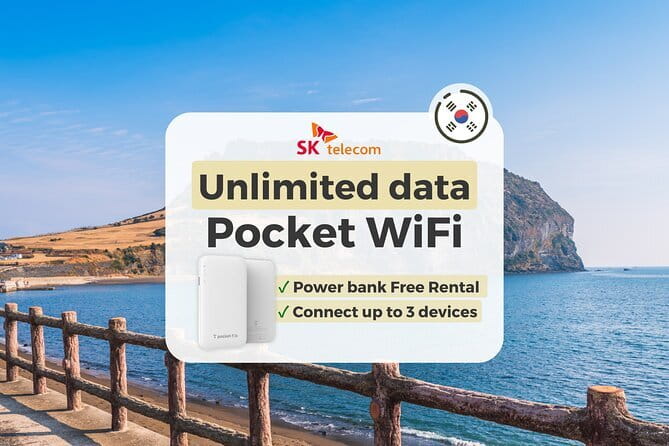
This works best for you if you want a simple data connection and do not need a Korean phone number. It is a good match for a short Seoul break, a longer South Korea holiday, or a trip that includes Seoul and Jeju Island.
It also suits independent travelers who rely on maps, translation, messaging, and online research. Families and pairs can each purchase a separate plan so everyone has their own connection, though the listed price is per person.
The product is less suitable if you want face-to-face setup help, a physical SIM, voice calling, or a guaranteed high-speed connection after the data allowance is used. It may also be a poor fit if your phone is older than the listed compatible examples or if you are uncertain about eSIM settings and do not want to handle installation yourself.
Cancellation and support in plain language
You can cancel for a full refund if you do so at least 24 hours before the experience start time. Cancellations made less than 24 hours before that time are not refunded, and changes inside that window are not accepted.
Confirmation is provided at booking. For questions about compatibility, coverage, or the data amount, contact the provider by email before buying. That is especially important here because the description includes the Canada coverage reference, which should be clarified.
FAQ
How long can I use the South Korea eSIM?
You can select a duration from 3 to 30 days, depending on the option you purchase.
How much high-speed data is available?
The available packages provide up to 45GB of high-speed data. The exact amount depends on the plan selected, so check the specific option before booking.
What happens after the high-speed data is used?
After the stated high-speed allowance is reached, the data service switches to unlimited 3G speed.
Does the eSIM arrive as a physical card?
No. This is a digital product. The eSIM is delivered by email, and you use the QR code to install it.
Which phones are listed as compatible?
Examples include iPhone XS and later, Google Pixel 3 and later, and Samsung S20, S21, and Fold models. Contact the provider if you are unsure about your phone.
Do I need to turn on data roaming?
Yes. The instructions state that you should turn on data roaming when you land. If activation is not complete, restarting your phone may help.
Should you book this South Korea eSIM?
I would book it if you want low-cost mobile data, your phone supports eSIM, and you are comfortable scanning a QR code and adjusting a few settings. The email delivery, range of trip lengths, 4G and 5G access, and unlimited 3G fallback make it a practical travel tool for Seoul and possible trips as far as Jeju Island.
I would pause before buying if you need a physical SIM, local voice service, in-person help, or heavy high-speed data use. Confirm the exact package allowance and ask Xplori to clear up the Canadian coverage wording. Once those points are settled, this $5 option offers a convenient way to get online without an airport counter, a plastic card, or a long activation wait.
Just added around Seoul
- Seoraksan National Park & Nami Island★ 4.5 · 3 reviews
- Strawberry Picking, Winter Sled with Eobi Ice Valley from Seoul★ 4.5 · 3 reviews
- Seoul Full Day small group Tour★ 5.0 · 3 reviews
- Majang Meat Market Experience: Private Tour with Han-woo Beef BBQ★ 5.0 · 3 reviews
- Seoul Korean BBQ Dinner Experience with Secret Food Tours★ 5.0 · 3 reviews
- Rice Wine Tasting with Sommelier – Finest Makgeolli (& Soju)★ 5.0 · 3 reviews
- Max Out Seoul: Must Visit City Highlights Panoramic Day Tour★ 5.0 · 3 reviews
- Seongsu-dong Walking Tour: K-Pop, Culture, Cheer, Friends & Relax★ 4.5 · 3 reviews
Seoul Tours, compared.

Best DMZ Tour Korea from Seoul (Red Suspension Bridge Optional)
Read our review →
DMZ Tour: 3rd Tunnel, Option(Suspension Bridge, Boat) from Seoul
Read our review →
DMZ tour south Korea from Seoul (NK experience hall, defector)
Read our review →

Signature DMZ Tour: Exclusive Defector Talk & Suspension Bridge
Read our review →
Thrilling Korean DMZ 3rd Tunnel Tour from Seoul + Red Bridge Rush
Read our review →DMZ Past and Present: Korean Demilitarized Zone Tour from Seoul
Read our review →